
Speak Your Appointment (Trial)2.1 - Google Play
You'll be able to see results in few seconds.
Publisher Description
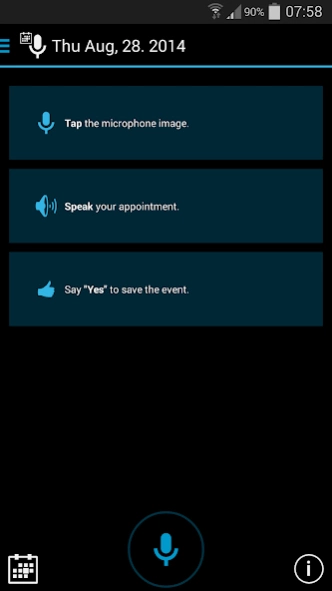
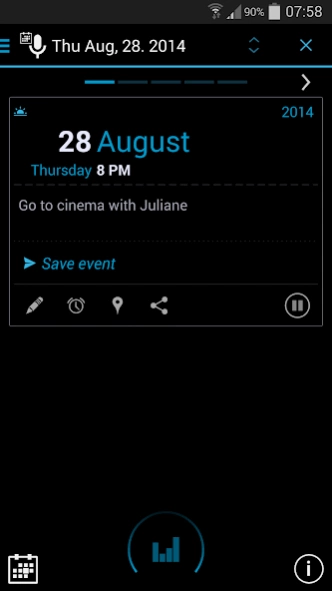
Just speak your appointments instead of typing them down.
Speak Your Appointment
Just speak your appointments instead of typing them down.
Insert and save events completely with your voice, also in different calendars.
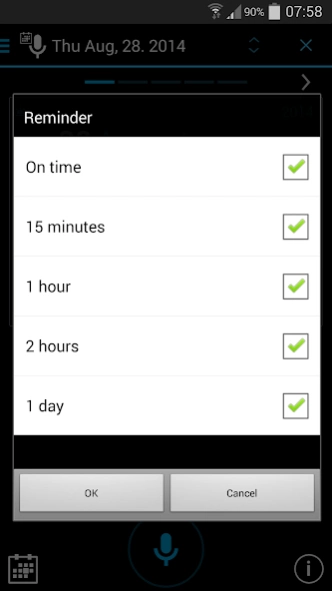
Automatically stored reminders, will not let you miss your appointment.
Supported languages: ENGLISH (US/UK), SPANISH, ITALIAN and GERMAN
★★★ Like it? Please vote and leave a comment here :-) ★★★
◆◆◆ TRIAL VERSION WITH NO TIME LIMIT ◆◆◆
Speech examples:
- Pick up Anna at the Station at quarter to 2 p.m.
- On 3rd of March at 4 o'clock p.m. to the dentist (UK)
- On March the 3rd at 4 o'clock p.m. to the dentist (US)
- Sunday at one pm with the kids to the zoo
- On Tuesday at nine o'clock until half past ten lectures
- On Saturday at quarter past 11 have breakfast with Juliane in Suicide Sue
- Peter's birthday next week Friday
- Tomorrow at 4 o'clock shopping
- Next Monday at quarter past 12 meeting
- On 21/03/2012 at quarter past 7 go to Paris (UK)
- On 03/21/2012 at quarter past 7 go to Paris (US)
- Tomorrow from 8 am until 9:30 am Meeting in Berlin
- In two day at nine in the morning call franky
Special features
Input:
✔ Supported languages: Englisch (US/UK), Spanish, Italian and German
✔ An appointment can be created entirely with voice commands
✔ Copy text e.g.: from an email, and paste them as appointments
✔ Send texts with the share button and save them as events
Output:
✔ The speech output is able to announce appointments repeatedly *
✔ Navigate through the list of suggested events by saying "Next" and "Previous"
Events:
✔ The calendar to save the appointments can be chosen freely (Default is your Google E-Mail Calendar)
✔ For business appointments, a separate calendar can be configured *
✔ Up to 5 freely adjustable reminders can be configured *
✔ The event duration can be announced *
✔ Countdown information such as: In 2 days, 3 hours, etc. will be recognized
✔ Your favourite Calendar-App can be configured to be launched from menu *
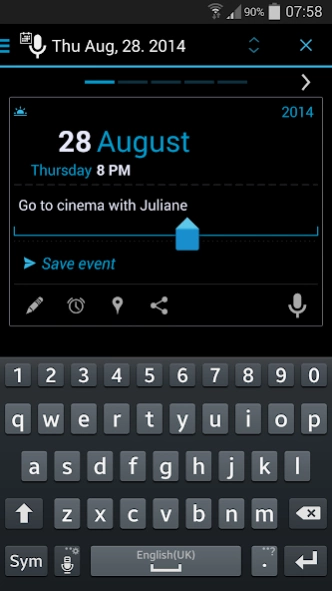
✔ Tap on text or date of an event suggestion to edit them quickly
Widget:
✔ "Full App Widget" allows you to speak and create events directly on your home screen
✔ Widget for starting App in auto mode in 3 different sizes
App:
✔ Up to 3 different Themes *
✔ Launch App from a calendar app (supported by "aCalendar","Calendar Pad","Weekly Calendar","Checkmark Calendar" and more)
✔ Configuration wizard guides you through the most important settings
✔ Multiwindow Support
* Full Version only
Requirements:
- An Internet connection. This may result in additional costs, please contact your telephone provider.
- A voice recognition software, e.g. The free Google Voice Search from the Android Market.
- If appointments have also to be read aloud a text-to-speech app with your language edition is required. All other functions of the app will not be affected if no text-to-speech software does exist.
Note:
The quality of the results of speech recognition and quality of speech is dependent on the software installed on your device.
Information about the permissions: http://sdt.site44.com/permission_en.html
Help:
It is not possible to answer comments on Play Store. Please send questions and support requests via e-mail.
Tags:
Events, Appointments, Event, Appointment, Speak, Speech, Speechinput, Speechrecognition, Speak, Calendar, Voice, Voice Calendar
About Speak Your Appointment (Trial)
The company that develops Speak Your Appointment (Trial) is Daniele Pecora. The latest version released by its developer is 2.1.
To install Speak Your Appointment (Trial) on your Android device, just click the green Continue To App button above to start the installation process. The app is listed on our website since 2023-10-03 and was downloaded 0 times. We have already checked if the download link is safe, however for your own protection we recommend that you scan the downloaded app with your antivirus. Your antivirus may detect the Speak Your Appointment (Trial) as malware as malware if the download link to de.superfusion.sdt.ad is broken.
How to install Speak Your Appointment (Trial) on your Android device:
- Click on the Continue To App button on our website. This will redirect you to Google Play.
- Once the Speak Your Appointment (Trial) is shown in the Google Play listing of your Android device, you can start its download and installation. Tap on the Install button located below the search bar and to the right of the app icon.
- A pop-up window with the permissions required by Speak Your Appointment (Trial) will be shown. Click on Accept to continue the process.
- Speak Your Appointment (Trial) will be downloaded onto your device, displaying a progress. Once the download completes, the installation will start and you'll get a notification after the installation is finished.
Program Details
System requirements
Download information
Pricing
Version History
version 2.1
posted on 2023-10-03
Minor improvements.
Android and Google Play compatibility update.
version 2.0
posted on 2015-01-27
★★★ Like it? Please vote and leave a comment here :-) ★★★,Version 2.0 74,Minor improvements
version 2.0
posted on 2013-06-23
Several fixes and updates
Disclaimer
Official Google Play Link
We do not host Speak Your Appointment (Trial) on our servers. We did not scan it for viruses, adware, spyware or other type of malware. This app is hosted by Google and passed their terms and conditions to be listed there. We recommend caution when installing it.
The Google Play link for Speak Your Appointment (Trial) is provided to you by apps112.com without any warranties, representations or guarantees of any kind, so access it at your own risk.
If you have questions regarding this particular app contact the publisher directly. For questions about the functionalities of apps112.com contact us.
